Welcome

Guest

Log out

Subscription valid until 2013-05-25


EasyRGB-PC Main viewEasyRGB-PC

EasyRGB-PC is a Windows package containing the OpenRGB freeware application and the full EasyRGB measures database. This successful combination allows to performs all the major functions of the EasyRGB site without the need to be continuously connected to the Internet.

Program features

System requirements

Download instructions

OpenRGB user's manual

These files are constantly checked and do NOT contain viruses or spyware.

Available features

OpenRGB
(freeware)

EasyRGB-PC
( US$ 186.00 )

Chromameter
(Easy ColorQA)

Full color calculator

Create color harmonies

Match RGB values to EasyRGB tints

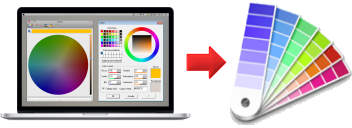
Get RGB values for EasyRGB tints

Full EasyRGB color database

Monitor color calibration

Complete user's manual

Saves data on clipboard and text files

Low cost chromameter


Download free OpenRGB now!
( 2.1M bytes )

Purchase EasyRGB-PC Full License Now!

Visit the
manufacturer at:
www.pocketspec.com

EasyRGB-PC features

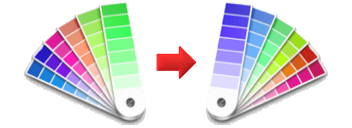
  • You can match your computer generated RGB values to EasyRGB color cards, paint lines, inks, fandecks and more. From RGB data get commercial tints equivalences.
    The typical use is to identify the closest commercial tints for your CAD software or graphic package generated colors.
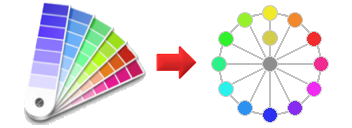
  • You can simulate color harmonies and schemes best complementing your RGB data.
    It's a feature designed, for example, to select color combinations to paint houses (walls, trims etc) or to build good color schemes for a Web site. Once a nice complement is found, it can be easily matched to commercial color families.
  • You can locate specific colors in EasyRGB commercial color cards or collections and get their RGB values. Usually commercial colors (paint, inks etc.) are identified by code and/or name (for example: code 5023, name PINK SHADOW).
    Colors can be conveniently searched inserting the complete code or name, or just a part of it.
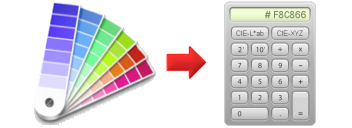
  • You can convert color data to different color spaces and standards. It's a powerful tool to manipulate color information and obtain RGB and CMY/CMYK values for everyday computer tasks. Each time new data is entered, the resulting color is immediately displayed.
  • The integrated color calibration wizard will guide you through 4 easy monitor calibration steps.
    Monitor calibration is crucial to obtain consistent on-screen colors. It is also the only way to visually communicate colors between different computer systems (different locations, O.S., video cards, monitors etc.).
    Even if not calibrated, all displayed colors are compatible with the standard-RGB specification and well adapt to modern CRT monitors.
  • Color data and RGB values can be easily transferred across the different functions or saved to a file.

Top

System Requirements

  • Windows XP or Vista are both supported, however the software can run in practically any Windows installation.
  • To fully appreciate on-screen colors, a 24bit True Color video interface is required, this should not be a problem with modern computers.
  • Around 5MB of free hard disk space for the software and the full EasyRGB database.

Top

Download instructions
To download the installation package just click on the download button above.
The package contains all the application files and a complete user's manual.
Once the file has been successfully downloaded and stored in your computer:

Step 1

Simply double-click on the downloaded EXE file to start the installation procedure.

Step 2

When the installation screen appears, follow the prompts displayed in this screen to install the application.

Step 3

The installation program will suggest the default drive and directory into which the needed files will be copied. You can keep the default drive and directory or edit the selections as desired.

Step 4

To run the software click on the desktop icon or choose Programs from the Windows Start menu, point to the EasyRGB folder and finally click on OpenRGB to start the application.

Top